Family Educational Rights and Privacy Act
How to Initiate a FERPA Release Request
STUDENTS
How to add a new connection:
- To grant access, go to the Lion Family Connect page and click on the link that says Are you faculty or a student? Log in here.
- You will be taken to a sign-in page. Enter your UNA Portal email and password and click Log In.
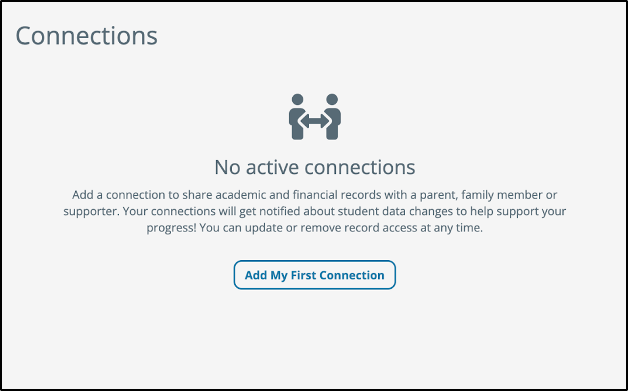
- After you log in, you will be taken to the Connections page where you can click Add My First Connection.
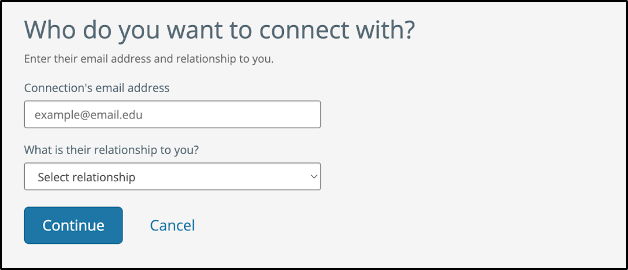
- Enter the person’s email address and use the drop-down menu to select their relationship to you. Click Continue.
- Select the records you would like to share. You may either select to share all available records or individually select the records you'd like to grant access to. Then, select Grant Access at the bottom of the screen.
- You will see a green banner at the top of the page if your connection request has been successfully sent to the person you granted access to. They will receive an email detailing your connection request. You'll receive an email notification if the person confirms your connection request to view aspects of your student record.
And now, feel free to repeat this process if you would like to grant access to additional parents, family members, supporters, etc. You can grant access to anyone who supports you!
How to review/accept a connection request:
- You will receive an email informing you that you have an outstanding new connection request. You can click Click here to approve this request.
- You can also grant access by going to the Lion Family Connect page and clicking on the link that says Are you faculty or a student? Log in here.
- You will be taken to a sign-in page. Enter your UNA Portal email and password and click Log In.
- Click the connection request for which you would like to approve access.
- Select the records for which you would like to edit access. You may select to share all records or to individually select the records you'd like to share with the person who requested access. Click Grant Access.
- If the update to your connection was successful, you'll be taken back to the Connections screen and see a green banner at the top confirming that the connection has been updated.